Notion Net Worth Tracker: Build One in 10 Minutes (Formula Included)
Net worth is everything you own minus everything you owe. It is the one number that shows whether your money is moving forward, even in months when the budget felt messy. Here is how to track it in Notion with a single database and one formula.
Step 1: create the database
Add a table database called Net worth with these properties:
| Property | Type | What goes in |
|---|---|---|
| Item | Title | Current account, Savings, Car, Visa card, Car loan |
| Type | Select | Asset or Debt |
| Value | Number (currency) | Balance or resale value, always positive |
| Updated | Date | When you last checked the number |
| Counts as | Formula | The signed value (step 2) |
Step 2: the formula
if(prop("Type") == "Debt", -prop("Value"), prop("Value"))Debts become negative, assets stay positive. Set the column footer of Counts as to Sum and that sum is your net worth.
Keeping Value positive and flipping the sign in a formula means you can type balances exactly as your bank shows them.
Worked example
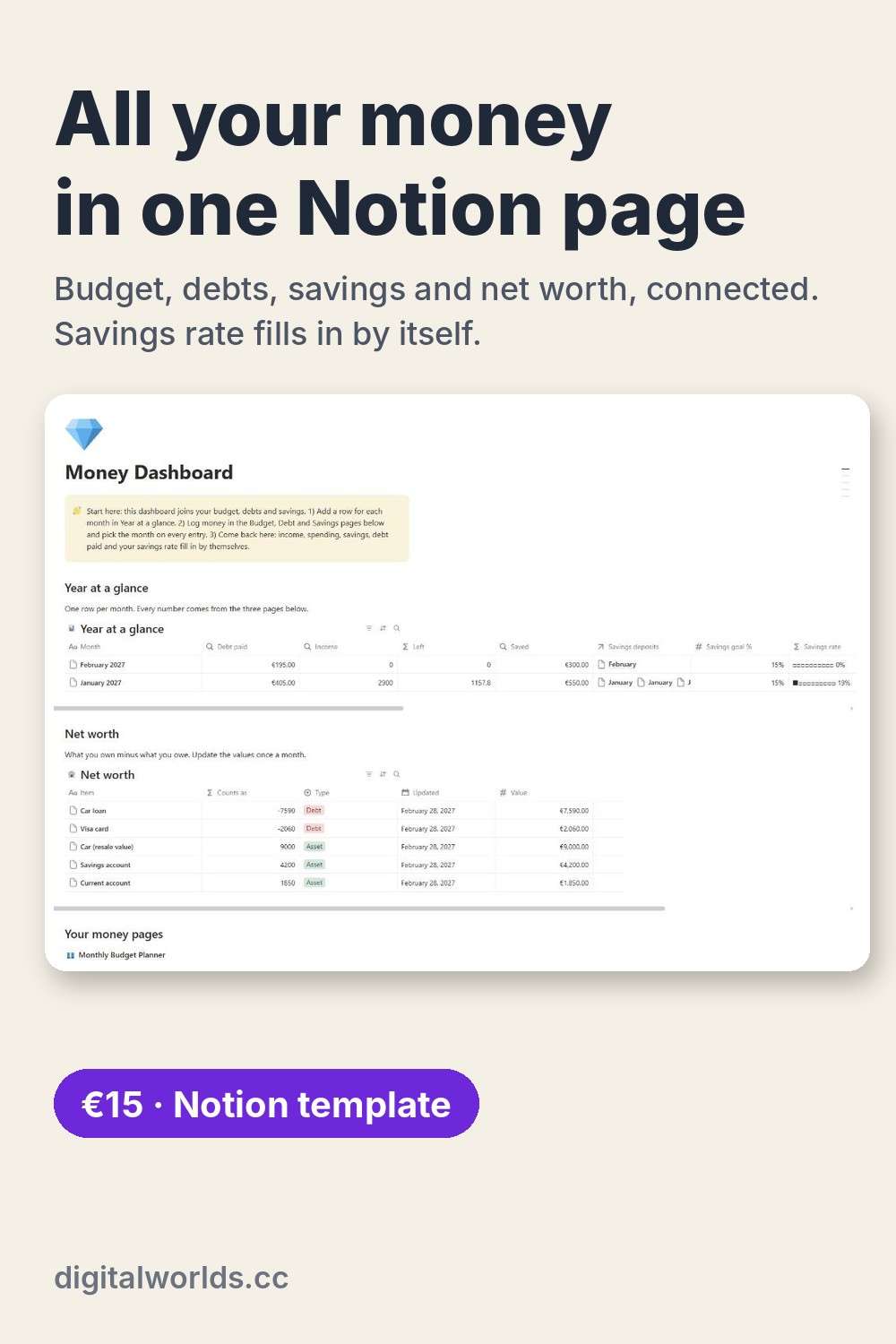
| Item | Type | Value | Counts as |
|---|---|---|---|
| Current account | Asset | €1,850 | 1,850 |
| Savings account | Asset | €4,200 | 4,200 |
| Car (resale value) | Asset | €9,000 | 9,000 |
| Visa card | Debt | €2,060 | −2,060 |
| Car loan | Debt | €7,590 | −7,590 |
| Net worth | 5,400 | ||
What to include
- Assets: cash and current accounts, savings, investments and pension (at today's value), the resale value of a car, home value if you own one.
- Debts: credit cards, overdraft, car and personal loans, student loan, mortgage balance.
- Skip things you would never sell (furniture, clothes). They make the number look better without changing anything.
Step 3: keep a monthly history
The table above always shows today. To see progress, add a second database called Snapshots with Month (title) and Net worth (number). On the first of each month, update the values, then copy the footer sum into a new Snapshots row. Twelve rows later you have a year of progress you can sort or chart.
How often to update
Once a month is enough. Daily changes are noise; the trend over 3 to 6 months is what matters. Put it on the same day as paying your bills so it becomes a habit.
Ready-made version
Money Dashboard includes this net worth list, already set up, next to a budget, a debt payoff planner and savings goals that all feed a "Year at a glance" table with your monthly savings rate.
Prefer free pieces? Start with the free debt payoff planner and the free savings goals tracker, then add the net worth table above.
Related: free Notion budget template · debt snowball vs avalanche · all free Notion templates
Get the 2027 money sheet deals by email
We'll tell you when our budget, debt and savings spreadsheets are on sale (up to 30% off from 27 November), plus one money tip now and then. Unsubscribe anytime.
Questions
How do I calculate net worth in Notion?
Make a database with Type (Asset or Debt) and Value, add the formula if(prop("Type") == "Debt", -prop("Value"), prop("Value")), and set the column footer to Sum.
Should I include my house in net worth?
Include its realistic market value as an asset and the mortgage balance as a debt. The difference is your home equity.
How often should I track net worth?
Monthly is enough. Look at the trend over several months rather than single changes.
Is negative net worth normal?
Yes, especially with student loans or a new car loan. What matters is that the number rises over time.
Updated 22 November 2026. A planning guide, not financial advice. Notion is a trademark of Notion Labs; we are not affiliated with Notion.