Free Notion Budget Template: 2 Ready-Made Budgets and How They Work
You can budget in Notion on the free plan. Below are two free templates you can duplicate in one click, which one to pick, and how the relations and formulas behind them work, so you can change them with confidence.
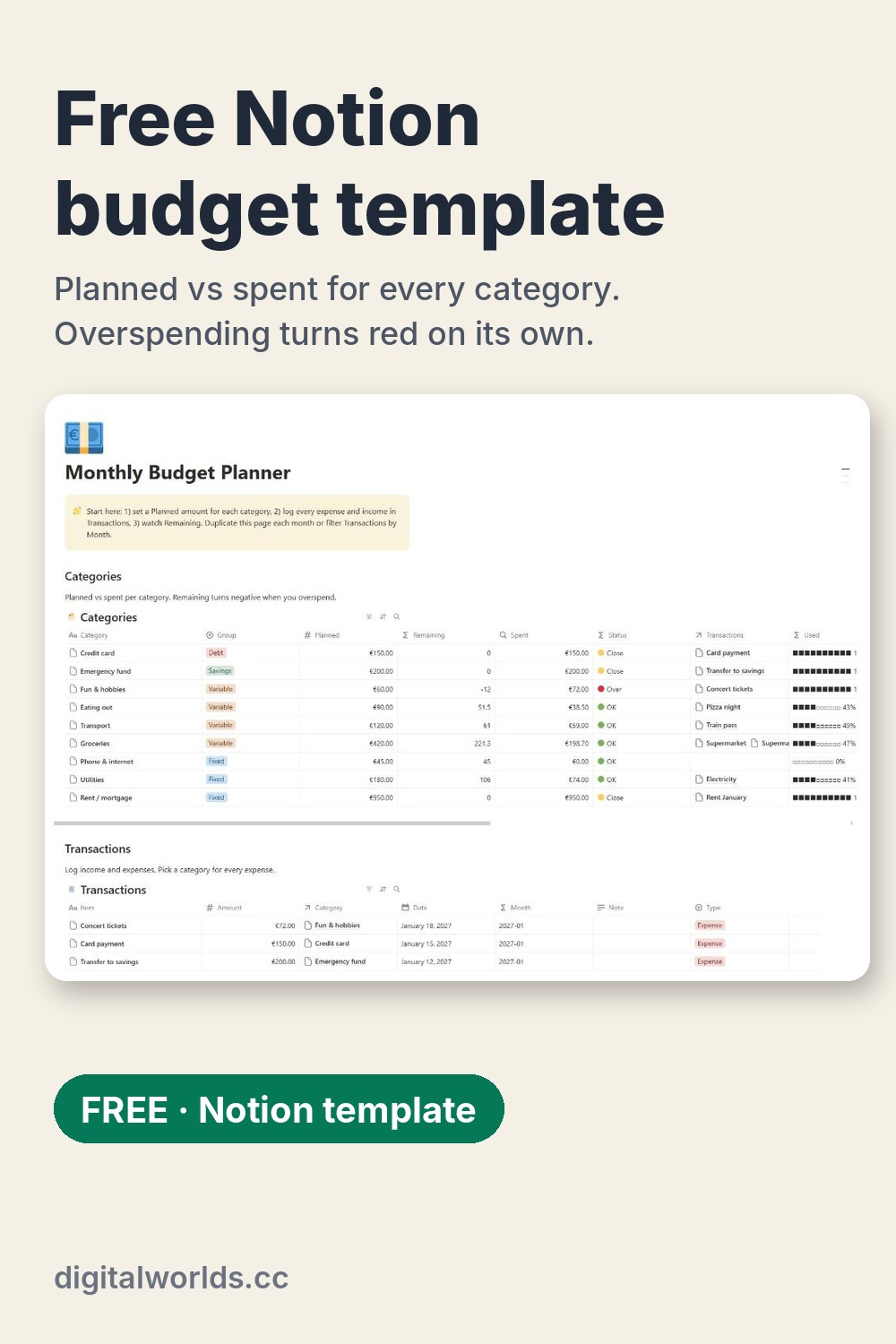
Which free template to pick
| Monthly Budget Planner | Simple Budget (ADHD-friendly) | |
|---|---|---|
| Best for | People who like a plan per category | People who give up on detailed budgets |
| You log | Each expense with a category | Name and amount, in or out |
| You see | Planned, spent and remaining per category, a used % bar, OK / Close / Over status | Money left this month, a spent bar and one big status: OK, careful or stop |
| Extras | Fixed, variable, savings and debt groups | Bills list that flags what's due soon, need vs want tag |
| Get it | Monthly Budget Planner (free) | Simple Budget (free) |
Both work in any currency and on the free Notion plan. The example rows show how they work; delete them when you start.
How to get a template into your Notion
- Open the link above and enter 0 as the price (they are free).
- Open the template page from the receipt and click Duplicate in the top right.
- Sign in to Notion and pick your workspace. The copy is yours to edit.
- Follow the yellow "Start here" box at the top of the page.
How a Notion budget works under the hood
A spreadsheet budget uses SUMIF. Notion does the same job with three building blocks:
- Two databases. One for categories (Rent, Groceries, Transport) with a Planned number, one for transactions with an Amount.
- A relation. Each transaction links to one category. This is the Notion version of "which column does this go in".
- A rollup and a formula. The category sums the Amount of its linked transactions (Spent). A formula then gives
Remaining = Planned − Spent, and a status likeif(prop("Remaining") < 0, "Over", "OK").
One page per month or one long list?
Keep one transactions database for the whole year and add a Month property (the templates fill it from the date). Then filter or group by month. Duplicating the page every month also works, but your history ends up split across 12 pages.
What Notion can't do (and what to do instead)
- No bank sync. You type transactions in. Two minutes after each payday is enough for most people.
- Formulas can't look across months on their own. For a yearly summary you need one more database that links to each month.
Want budget, debts and savings in one place?
The free templates each do one job. Money Dashboard connects a budget, a debt payoff planner and savings goals to a "Year at a glance" table, so each month's income, spending, debt paid, savings and savings rate fill in by themselves. It also has a net worth list.
Related: Notion net worth tracker · 50/30/20 budget example · debt snowball vs avalanche · sinking funds list · all free Notion templates
Get the 2027 money sheet deals by email
We'll tell you when our budget, debt and savings spreadsheets are on sale (up to 30% off from 27 November), plus one money tip now and then. Unsubscribe anytime.
Questions
Is there a free budget template for Notion?
Yes. The Monthly Budget Planner and the Simple ADHD-friendly Budget on this page are free and work on the free Notion plan. You duplicate them into your own workspace in one click.
Can Notion connect to my bank account?
Not by itself. You enter transactions by hand, or use a separate automation tool. Most people log spending once or twice a week.
Does a Notion budget work in euros, pounds or dollars?
Yes. Number properties can use any currency format. Change the format on the Amount and Planned columns to your currency.
Notion or a spreadsheet for budgeting?
Notion is better if you already plan your life there and like linked pages and checklists. A spreadsheet is better for heavy maths, charts and long history.
Updated 22 November 2026. A planning guide, not financial advice. Notion is a trademark of Notion Labs; we are not affiliated with Notion.